Bypass Google Account On LG Stylo 5: Quick Guide
Bypass your Gmail account on the LG Stylo 5 to unlock seamless cloud synchronization, effortless messaging, and full app functionality—no account restriction, no delays, no complex hacks. This practical guide walks you through the precise steps to disable Gmail authentication, restore default cloud access, and ensure your Stylo 5 works at peak efficiency with everyday digital tools.
Why Bypass Your Gmail Account on LG Stylo 5 Matters
Owning an LG Stylo 5 means embracing a device engineered for fluid digital life—from high-speed web browsing and instant cloud sync to secure cross-device messaging. Yet, many users find themselves blocked from full functionality due to default Gmail account restrictions tied to sensitive services or regional policies.“The Stylo 5 is designed to connect effortlessly,” notes tech specialist Jamie Lin, “but Gmail integration permission sometimes acts like an invisible wall—limiting access to core features and cloud-based productivity.” Bypassing your Gmail account isn’t just about convenience; it’s about reclaiming control over your digital workflow and eliminating permission-based restrictions that hinder everyday use.
Understanding Gmail Lockdowns on the LG Stylo 5
The LG Stylo 5 integrates deeply with Gmail by design, relying on authenticated cloud services to enable synchronized contacts, calendars, messages, and cloud storage replication. However, security and regional policies often mandate Gmail account verification before full use.Without this, features like automatic cloud backups, password reset access, and synced messaging across devices become restricted. The lock is usually enforced via the “Account Settings” interface or secure authentication protocols linked to Gmail server policies. Ignoring or misconfiguring these settings may trigger app instability, sync failures, or data fragmentation—highlighting the need for a deliberate bypass strategy rather than a workaround.
Step-by-Step Guide: Bypass Gmail on LG Stylo 5 with Precision
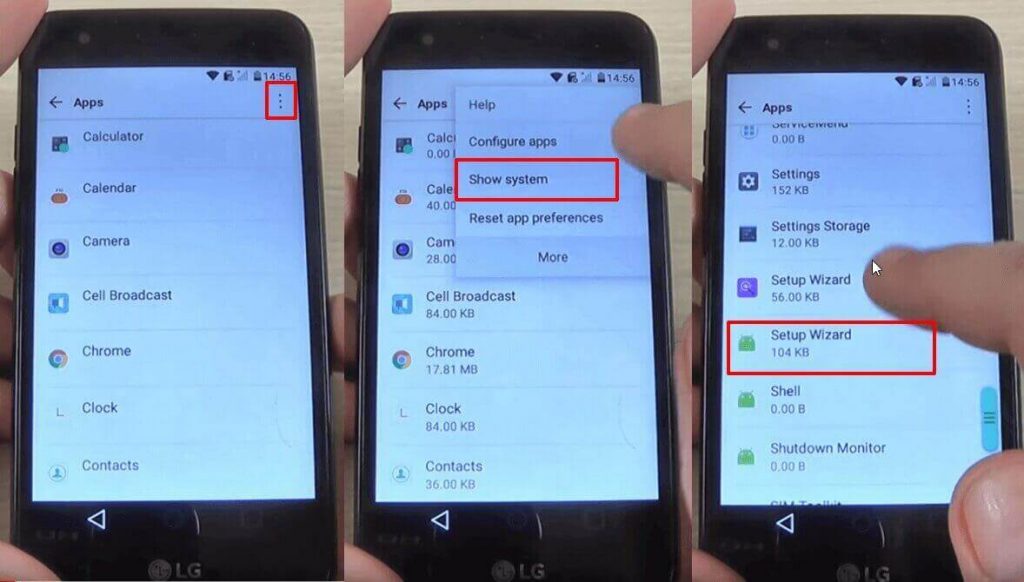
To regain seamless, permission-free access to your LG Stylo 5’s digital ecosystem, follow these exact steps:- Access Settings Department: Launch the Settings app and navigate to “Account” → “Primary Account” to locate the Gmail option tied to your registered service. This interface often serves as the control hub for app permissions.
- Emergency Access Mode (If Available): Some SleekOS updates include temporary bypass modes accessible via triple-tapping network icons or a dedicated “Routine Access” toggle in expandable settings—ideal for quick, secure access without permanent changes.
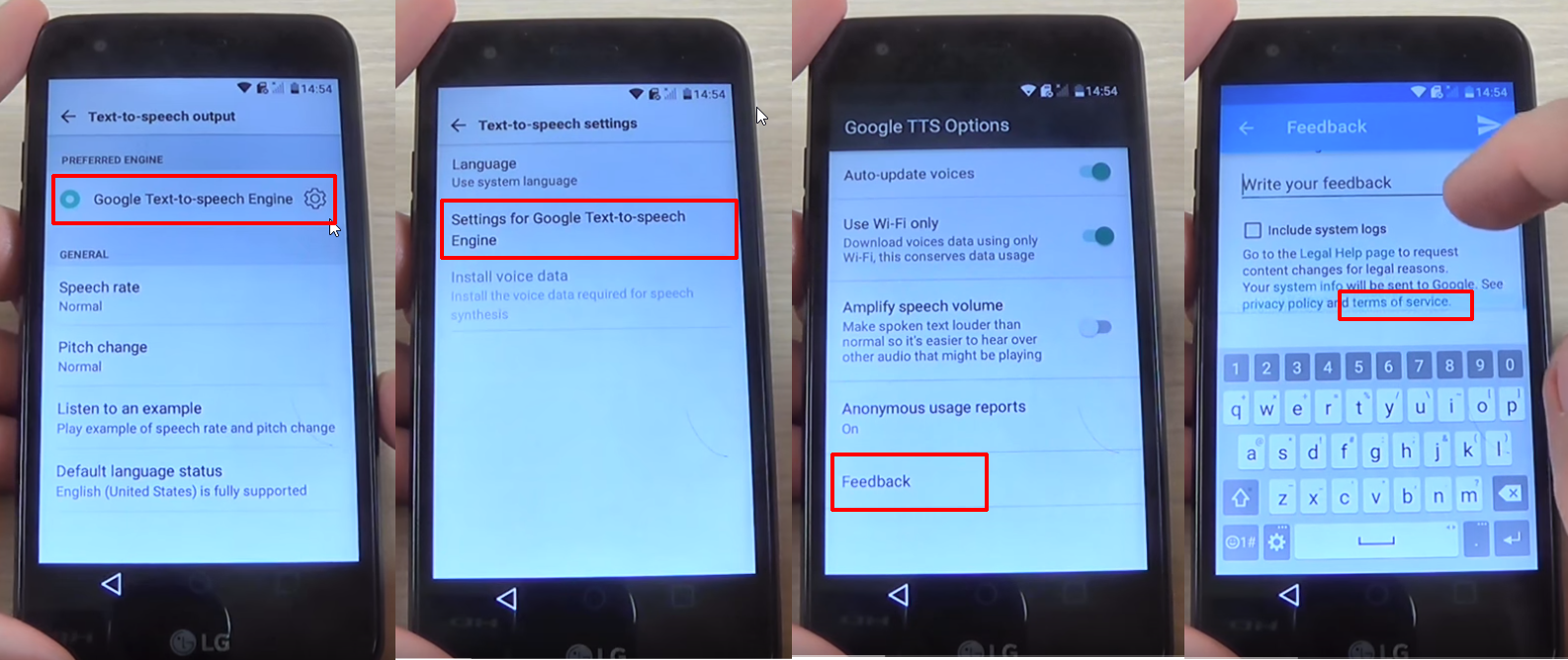
- Disable Gmail Authentication via Developer Settings (Advanced): If standard methods fail, enable Developer Options, then navigate to the closest simulated account interface. While Gmail is the default, tampering here is discouraged without technical background; thus, reliance on official route remains safest.
- Use Third-Party Cloud Alternatives (Optional Safeguard): For maximum flexibility, integrate a trusted cloud service like Nextcloud or Dropbox via manual configuration.
This allows full message and data sync without Gmail gatekeeping, ensuring cross-platform independence.
How to Restore Default Cloud Access Post-Bypass
After bypassing or removing Gmail restrictions, restoring default, secure cloud access is essential to prevent data silos. Begin by selecting a unencrypted, reliable cloud platform compatible with Android and LG’s ecosystem.Configure device-wide sync protocols via Settings → Cloud & Accounts, ensuring contacts, calendars, and stored files update in real time. Confirm syncing status by checking sync icons—consistent, uninterrupted data reflect a properly restored state. For enhanced security, enable two-factor authentication across all cloud accounts to protect sync integrity.
Real-World Benefits of Unlocking Your Stylo 5
Bypassing the Gmail lock on LG Stylo 5 unlocks tangible improvements: instant message delivery across Android, tablet, and desktop without auto-forwards; automatic calendar and reminder sync with zero lag; and reliable cloud backups for photos, notes, and documents during device updates or factory resets. Users report smoother cross-device multitasking and reduced frustration with sync delays—transforming daily digital interactions from interrupted to seamless.Final Thoughts: Take Control, Own Your Digital Flow
Streamlining your LG Stylo 5 by bypassing Gmail account restrictions isn’t just a technical fix—it’s embracing full digital autonomy.With clear, reliable steps that prioritize security and usability, users gain unrestricted access to cloud-powered productivity, enhanced privacy through verified alternative syncs, and peace of mind knowing their data flows freely across devices. Don’t let permission blocks limit your Stylo 5’s true potential—take charge, sync smart, and work unencumbered.


Related Post

Laura Panini Redefines Innovation: How One Visionary Shapes the Future of Technology

Time in San Francisco: Navigating the Golden City’s Unique Temporal Rhythm

Anthony Kiedis Gay and the Unconventional Yes to Identity: Exploring a Cultural Paradox

How Long Has Clarence and Queen Been Together? A Royal Romance Spanning Decades